Tuesday, 23 April 2013

CENDERAHATI KAHWIN ORIGAMI MURAH

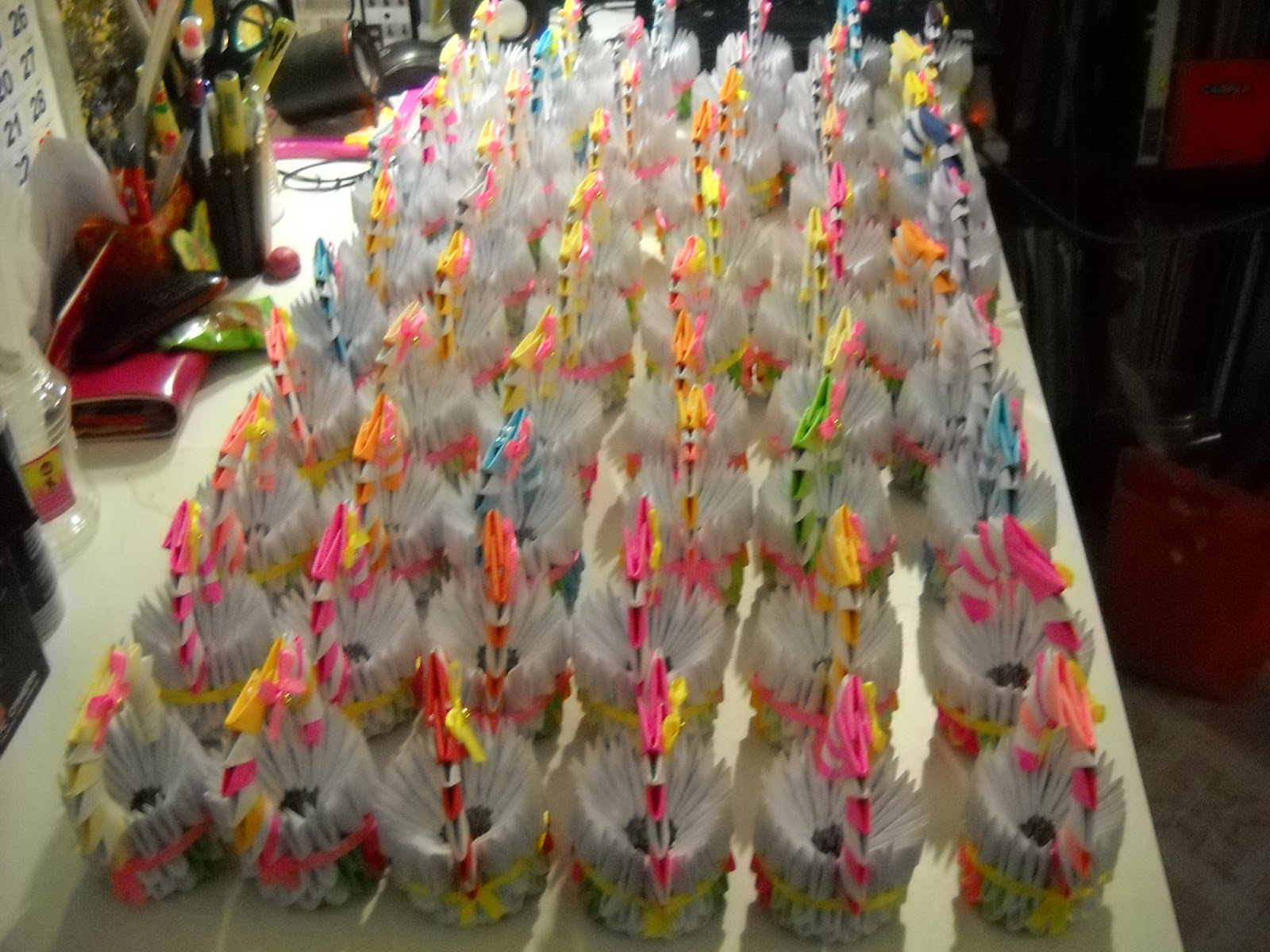
Hari tu Kak aya ada tempah swan..pasu bunga..bunga teratai..bakul..ngan anak swan 5 ekor kan..beberapa hari kemudian tu..die call balik, cakap nak tempah cenderahati untuk diberikan pada tetamu masa majlis perkahwinan anak dia..
jadi kitorang bajet..RM2.50 setiap satu..sebab kak aya nak banyak..60 ekor anak itik..ngan 60 buah bakul kecik..
so.. inilah hasilnya..
thanks a lot diucapkan pada akma..and my family sebab tanpa pertolongan kalian..mesti x siap tempahan ni..huhu...


Thursday, 11 April 2013

3D ORIGAMI LOTUS - INSTRUCTIONS

3D Origami Lotus – Instructions

3D Origami Lotus

How to make an Origami Lotus:

We will need a total of 734 units for making this origami lotus model. The split up of the units by color:
Green –  318 units
Light Pink – 240 units
Dark Pink – 126 units
Yellow – 50 units

The tutorial for making the triangular units is given here.
TDOL1
A disclaimer before we begin: The quality of the images are not great… something wrong with my lighting!

Step 1:
We will start by making the leaves of the lotus flower. Start with one green units and increment the number of units by 1 for every row.
TDOL2 

Step 2:
Keep increasing the number by 1 and inserting rows till you have 7 units in a row.
TDOL3 

Step 3:
Now start reducing the number of units by 1 for every row till you have one unit. You will get this kind of a rhombus shaped structure. We would have used up 49 units for one leaf.
TDOL4 

Step 4:
Repeat steps 1 to 3 and make 5 more such leaf units.


Step 5:
Attach two units together as shown. We will use 4 connecting units for two leaves. At least 4 connecting units become necessary to hold the structure well.
TDOL5 

Step 6:
Similarly attach the six leaf units together.
TDOL6 

Step 7:
Now we will start making the lotus flower. The step to make the flower is going to be a little different than usual. Generally we start from the bottom of the structure and move upwards. Here we will take a top down approach.
We will be using light pink color units here.
Just like how you made the leaves, start for the flower – begin with 1 unit and keep increasing by 1 for the next row.
TDOL7
Keep adding the units till you have 5 units in a row and then start decreasing the number of units by 1.
TDOL8 

Step 8:
Make 5 more such units. We will need a total of 6 such units for one flower.
TDOL9 

Step 9:
Now connect two light pink units together using 1 Dark pink unit. Do you see the dark pink unit at the center?
TDOL10 

Step 10:
Now fill in using Dark pink units as shown.
TDOL11 

Step 11:
Similarly keep connecting the light pink pieces together.
TDOL12 

Step 12:
Finally join the ends together in the same manner.
TDOL13
The round structure gets formed as you can see below.
TDOL14 

Step 13:
Now add a row of light pink. 30 units will get used up here.
TDOL15

And … 2 more such rows.
The flower is completed.
TDOL16
Just shape the flower a bit at the bottom.
I set the flower at the center of the leaves to see how it looks…already pretty!
TDOL21 

Step 14:
For the center of the flower, make a ring out of 10 yellow units in each row.
Here are the first 2 rows.
TDOL17 

Step 15:
Add one more row.
TDOL18 

Step 16:
Bring the last row downward.
TDOL19 

Step 17:
Add 2 more rows of yellow. All the 50 yellow units are consumed.

TDOL20 

Step 18:
Set the yellow modules piece at the center of the lotus flower.
TDOl22
TDOL23
Here is another look of the completed three dimensional modular lotus flower.


REFERENCES :
http://artplatter.com/2012/06/3d-origami-lotus-instructions/


Thursday, 4 April 2013

MACAM MANA NAK CARI BALIK DOKUMEN PENTING YANG KITA TERDELETE SECARA TAK SENGAJA??

Takut...kenaLING..NAK PENGSANNN!!!

itulah perasaan kita bila terdelete sesuatu dokumen yang paling paling paaaliiing penting kan. nak nangis pon ade..nak bunuh diri?? huish...jangan...tak duduk dalam kawasan perkuburan islam kite nanti...

Hari ni punya la kaget..baru terperasan yang kelmarin terdelete akaun syarikat!! omak aihh...seram sejuk rase nak kena menjawab dengan bos nanti...

Alhamdulillah..nasib baik ade Hafiz..die bagi suggestion suruh download & install RECUVA.

RECUVA ni..kalau bagi orang yang dah biasa ngan teknologi ni confirm dah tau..tp bagi kita yang menaip pon ala2 siput tu..benda2 macam ni memang jauh la nak ambik tahu kaaan...so, ni nak bagitau.. RECUVA ni ialah salah satu software yang boleh tolong kita recovery balik segala macam bentuk dokumen ke..gambar ke..email ke..bla bla bla...

Tapi jangan harap la die boleh cover 100% macam yang kita save tu..tp at least dokumen kite tu ade balik daripada takde langsung...huhu

Ni adalah laman web dia...so..jangan malas nak belajar benda-benda macam ni..he..karang kena macam den..saapo nak nolong eh..

Cara-cara nak install senang jer..

1. pergi kat laman web ni.. http://recuva.en.softonic.com/download

2. Klik free download

3. lepas dia dah habis download tu..kite open dan run

4. lepas tu kita klik next..dan install

5. then, finish...

6. Die punye short cut untuk recuva ni akan muncul kat desktop kita..pastu kite boleh pilih la kat file type tu..nak cari balik dokumen ke..video ke..picture ke.. let's say la kan..kita nak cari video..so, klik kat video tu..then klik next. 

7. pastu dia akan tanya file location kita letak kat mana sebelum ni..jadi kita klik kat my dokumen..tu pun kalau kite letak kat my dokumen la sebelum ni..pastu next lg..

8. pastu tekan start.

9. sume video yang kita delete akan muncul balik..tp yang terbaru jela..yang lame2 tu..kalau jumpe..Alhamdulillah..kalau tak tu...tak tau la nak cakap ape..kalau menangis air mata darah sekalipun..benda yang dah takde..tetap takde jugak...

"KUN FAYAKUN.." bila Allah S.W.T kata Jadi...maka Jadilah..

Kesimpulannya..sebelum delete..fikir baik2 dulu..

akhir kalam..terlajak perahu boleh di undur..terlajak delete?.....install RECUVA la jawabnyee..huhu...

SELAMAT MENCUBA.. (^,^)V