Friday, 5 July 2013
Friday, 10 May 2013
cara nak lipat pieces 3d origami
Aluuu…enibadi..!! (^,^)/ …he..wat sap tu oll mai pren..ada
sihat ka? Sihat?? Alhamdulillah…
Ermm..hari ni kite blajar cara nak buat 3D Origami nak tak nak
tak nak tak??? X nak?? (‘o’)? ya..udaaah…kalu enggak mau..enggak usah dipaksain
lohrr..huhu
He..gurau jer..hari ni mud hepi ckit..x tau la nape..orang kate..nak
awet muda kena slalu hepi..btul ker? Hmm..kalu salah pon buat2 btul la ek…
Okey..first step nak buat 3d origami..kita kena belajar
basic nak lipat pieces origami tu dulu..bentuk dia macam fortune cookies jer bile tgk..
Bahan-bahan yang diperlukan..of cos la kertas
kan..huhu.
Kertas tu ikut suka hati la..kena guna kreativiti
sendiri..tp nak bagitau kat sini..kalau nak guna kertas kaler putih..guna yang
80gsm punyer..sebab die susah nak koyak..senang nak lipat..
tp kalau nak gune kaler selain putih..better guna yang
70gsm..sebabnya sama, senang nk lipat..susah nak koyak..bentuk die pun cuunn je
tgk..nak lipat pun x sakit jari..tak caye try la lipat kertas yang 120 gsm punyer..huhu
Cara-cara melipat pieces 3D Origami
Sehelai kertas A4 tu..kita lipat 2 dan kerat..sampai kita
dapat 16 keping 4 segi sama..
lepas tu lipat dua ke bawah...
lepas tu lipat 2 ke kiri..atau ke kanan..(x kisah)
lepas tu wat bentuk jet macam di bawah ni..
lepas tu pusing..belakang dia kita nampak macam ni..then, hujung kedua-dua bucu tu kita lipat kecik sikit jer..
lepas tu kita lipat ke bawah pulak macam ni...
pastu lipat ke kanan atau ke kiri..suka hati..tp yang penting..bahagian belakang yang kita lipat kecik tu tadi..mesti berada di bahagian dalam...
bila lipat banyak-banyak..boleh la nak sambung wat bentuk2 yang diingini..
lepas ni kita akan belajar wat bentuk pulak ek..ada bentuk pasu..swan..bakul..penguin..dan macam-macam lagi..
so..selamat mencuba (^,^)/
Sunday, 28 April 2013
TUTORIAL BUAT BLOG SENDIRI
A . CARA NAK BUAT BLOG
1.
Create free blog [ sign up
]
2.
Isi maklumat peribadi dan
ikut step
B. UNTUK
MASUK DALAM BLOG
1
|
Taip nama blog
|
1. edie3dOrigami
|
2
|
Sign in
|
2. Password :******
|
3
|
Nak tau jumlah orang yang dah tengok blog kita
|
|
4
|
View blog
|
1.
untuk tengok blog
|
5
|
New Post
|
1. untuk post gambar atau perkara baru dalam blog
2. Post
Title = Masukkan tajuk
untuk perkara yang kita nak letak dalam blog
3. Blank
page = kita boleh edit macam dalam Microsoft office (con: masukkan
gambar / menaip / edit colour @ tulisan dan lain-lain )
4. Lepas dah siap edit, tekan save, lepas tu publish
|
6
|
Design = template = customise
|
1. Template
= Cover blog
2. Background
= Gambar latar blog
3. Adjust
widths = saiz panjang atau pendek blog
4. Layout
= kedudukan isi – isi blog
5. Advanced
= warna / tulisan dan lain-lain
6. Lepas dah siap edit kena klik Apply to blog dan view blog untuk tengok hasil blog
yang kita hias tadi
|
C. NAK HIAS BLOG
dashboard
> design > add gadget > html java script. Paste kod ke dalam html java
script
Tuesday, 23 April 2013
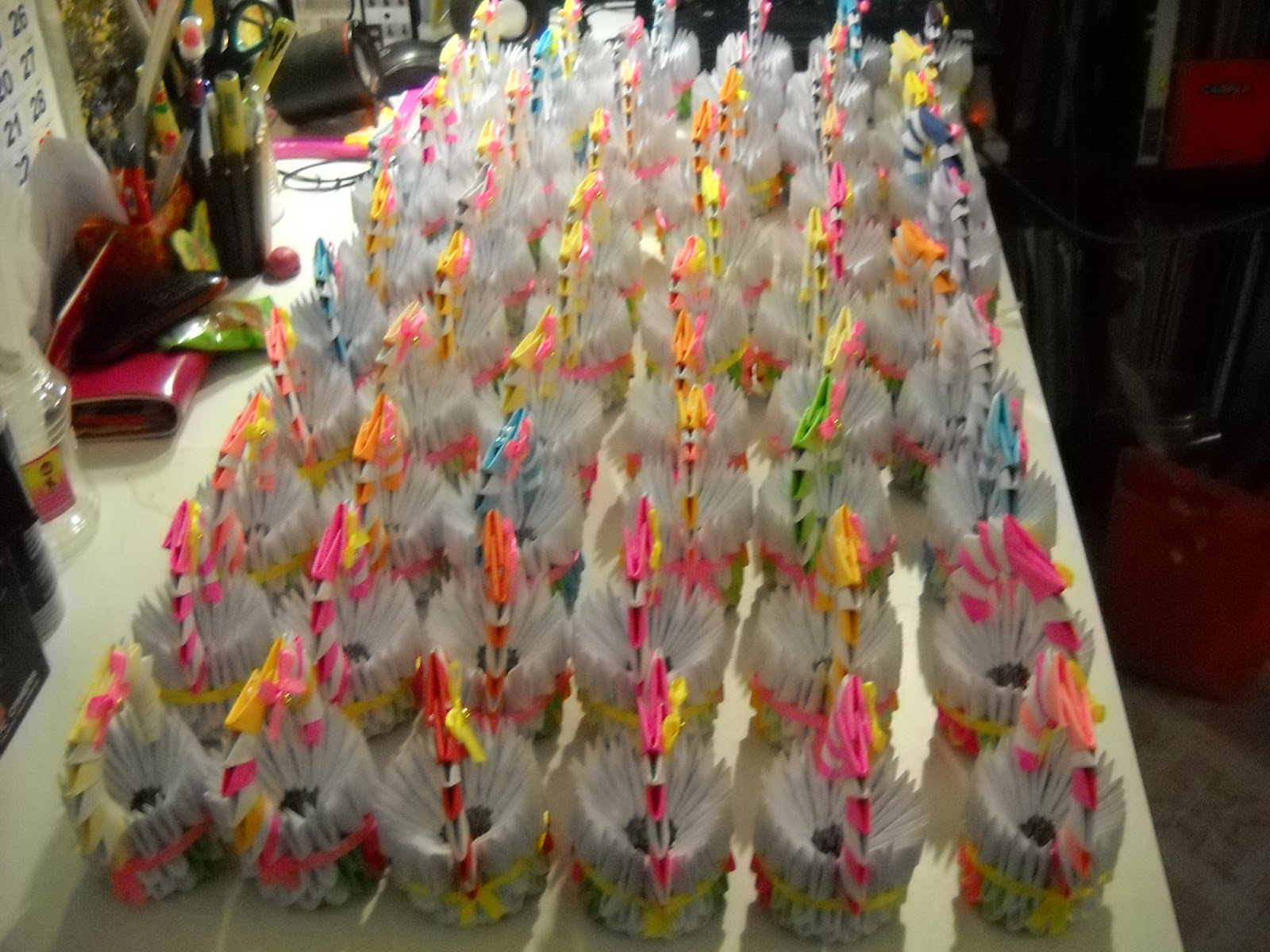
CENDERAHATI KAHWIN ORIGAMI MURAH
Hari tu Kak aya ada tempah swan..pasu bunga..bunga teratai..bakul..ngan anak swan 5 ekor kan..beberapa hari kemudian tu..die call balik, cakap nak tempah cenderahati untuk diberikan pada tetamu masa majlis perkahwinan anak dia..
jadi kitorang bajet..RM2.50 setiap satu..sebab kak aya nak banyak..60 ekor anak itik..ngan 60 buah bakul kecik..
so.. inilah hasilnya..
thanks a lot diucapkan pada akma..and my family sebab tanpa pertolongan kalian..mesti x siap tempahan ni..huhu...
jadi kitorang bajet..RM2.50 setiap satu..sebab kak aya nak banyak..60 ekor anak itik..ngan 60 buah bakul kecik..
so.. inilah hasilnya..
thanks a lot diucapkan pada akma..and my family sebab tanpa pertolongan kalian..mesti x siap tempahan ni..huhu...
Thursday, 11 April 2013
3D ORIGAMI LOTUS - INSTRUCTIONS
3D Origami Lotus – Instructions

How to make an Origami Lotus:
We will need a total of 734 units for making this origami lotus model. The split up of the units by color:Green – 318 units
Light Pink – 240 units
Dark Pink – 126 units
Yellow – 50 units
The tutorial for making the triangular units is given here.

A disclaimer before we begin: The quality of the images are not great… something wrong with my lighting!
Step 1:
We will start by making the leaves of the lotus flower. Start with one green units and increment the number of units by 1 for every row.
Step 2:
Keep increasing the number by 1 and inserting rows till you have 7 units in a row.
Step 3:
Now start reducing the number of units by 1 for every row till you have one unit. You will get this kind of a rhombus shaped structure. We would have used up 49 units for one leaf.
Step 4:
Repeat steps 1 to 3 and make 5 more such leaf units.
Step 5:
Attach two units together as shown. We will use 4 connecting units for two leaves. At least 4 connecting units become necessary to hold the structure well.
Step 6:
Similarly attach the six leaf units together.
Step 7:
Now we will start making the lotus flower. The step to make the flower is going to be a little different than usual. Generally we start from the bottom of the structure and move upwards. Here we will take a top down approach.
We will be using light pink color units here.
Just like how you made the leaves, start for the flower – begin with 1 unit and keep increasing by 1 for the next row.

Keep adding the units till you have 5 units in a row and then start decreasing the number of units by 1.
Step 8:
Make 5 more such units. We will need a total of 6 such units for one flower.
Step 9:
Now connect two light pink units together using 1 Dark pink unit. Do you see the dark pink unit at the center?
Step 10:
Now fill in using Dark pink units as shown.
Step 11:
Similarly keep connecting the light pink pieces together.
Step 12:
Finally join the ends together in the same manner.

The round structure gets formed as you can see below.
Step 13:
Now add a row of light pink. 30 units will get used up here.

And … 2 more such rows.
The flower is completed.

Just shape the flower a bit at the bottom.
I set the flower at the center of the leaves to see how it looks…already pretty!
Step 14:
For the center of the flower, make a ring out of 10 yellow units in each row.
Here are the first 2 rows.
Step 15:
Add one more row.
Step 16:
Bring the last row downward.
Step 17:
Add 2 more rows of yellow. All the 50 yellow units are consumed.
Step 18:
Set the yellow modules piece at the center of the lotus flower.

Here is another look of the completed three dimensional modular lotus flower.
REFERENCES :
http://artplatter.com/2012/06/3d-origami-lotus-instructions/
Subscribe to:
Posts (Atom)